When following a “Find It” or “Full Text” link from an external database (like one from EBSCO or from Google Scholar), you will be taken to a Catalyst record for the article. The link to follow to correctly resolve to full text is the link that will mention the name of the database, like this one:
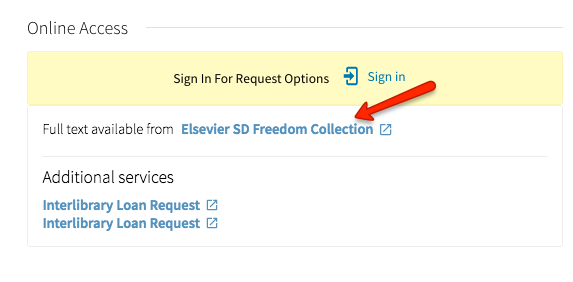
If you click on the “Sign In” link in the yellow box that says “Sign in for Request Options,” you are redirected to the wrong page (it will look like a web page from the 1990s with old styling).

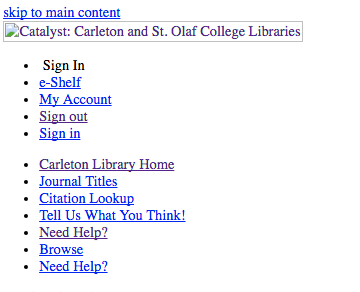
This is a known issue and we are working hard to fix it, but in the meantime, simply follow the “Full text available from _____” link to get to the full text of the article.
![[screenshot of Catalyst record of "Outlook and Independent" showing an "UNASSIGNED location"]](https://blogs.carleton.edu/bridgeoutreach/files/2016/06/UnassignedLocationExample-1at966h.jpg)
![[screen shot of Catalyst record for "New York times book review" showing a "no_c_tag" location]](https://bridgeoutreach.library.sites.carleton.edu/wp-content/uploads/2016/06/No_c_tagExample-1arm0gl.jpg)
![[Screen shot of a "Due Date Change" email.]](https://bridgeoutreach.library.sites.carleton.edu/wp-content/uploads/2016/06/DueDateChgEmail-2az6ym9.jpg)